
Why troubleshooting matters
AI image tools can save time and open up many creative options, but the first result is not always the best one. Users often see images that look close to what they wanted, yet still contain problems such as the wrong composition, strange details, inconsistent lighting, or text that does not look right. Learning how to troubleshoot these issues helps people get better results faster. It also reduces frustration and makes the overall editing and generation process more efficient. For a website focused on generating and editing images with AI, troubleshooting is a useful topic because it supports both beginners and experienced users who want more predictable outputs.
Troubleshooting AI image results means identifying what went wrong, understanding why it happened, and then making small changes to improve the next output. In many cases, the issue is not with the tool itself, but with the source image, the prompt, the settings, or the expectations for what the model can do well. Some requests are very broad, while others contain too many instructions at once. A clear process can help users move from random trial and error to a more reliable workflow. This is especially important for anyone creating visuals for content, product images, social posts, creative projects, or personal use.
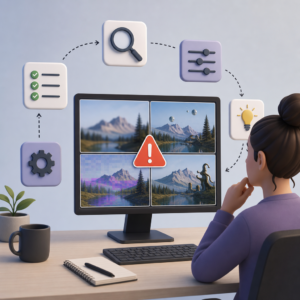
Common problems and what causes them
One of the most common problems in AI image generation is weak subject clarity. The image may include the right theme, but the main object is unclear, oddly placed, or mixed with unnecessary elements. This often happens when the prompt does not clearly describe the subject, background, camera angle, or mood. Another common problem is inconsistency across details. Hands, eyes, textures, clothing, and small objects may look different from one part of the image to another. AI models can struggle with fine detail when the request is too complex or when many visual ideas compete in a single prompt. In editing tasks, poor source image quality can also lead to weak results because the model has less reliable information to work with.
Lighting and style problems are also frequent. An image may look too flat, too dark, oversaturated, or visually inconsistent. For example, the subject may appear realistic while the background looks more like digital art, making the result feel unbalanced. Text inside AI-generated images is another known challenge. While some tools are improving, text rendering can still be inaccurate or distorted. Users may also face resolution issues, where the image is usable at small sizes but breaks down when enlarged. In some cases, the result is simply too generic. This usually happens when the prompt relies on broad terms without enough visual direction. Recognizing these patterns is the first step toward fixing them.
How to improve the next result
The most effective way to troubleshoot is to change one variable at a time. If a prompt is not working, rewrite it with stronger structure instead of replacing everything at once. Start with the main subject, then add key visual details such as setting, perspective, lighting, color, and style. If the image feels crowded, remove less important instructions and keep only the elements that matter most. If the output looks inconsistent, simplify the request so the AI can focus on fewer decisions. In image editing, it also helps to use a cleaner source file. A sharp, well-lit image usually gives the model a better base for changes than a small or blurry one.
Users can also improve results by dividing large goals into smaller steps. Instead of asking for a perfect final image in one request, it may work better to create a strong base image first and then edit specific parts. For example, generate the general scene, then refine the face, adjust the background, or improve color balance in separate actions. This approach is often more reliable than combining every edit into one instruction. If the platform offers settings for image strength, variation, or guidance, users should test moderate changes rather than extreme ones. Small adjustments can produce more useful comparisons and make it easier to learn what improves the image.
Building a practical workflow
A practical workflow can make AI image generation and editing much easier to manage. First, define the goal of the image before starting. Is it for a blog header, an online store, a social media post, or a creative concept? The intended use affects composition, dimensions, style, and detail level. Next, prepare either a clear prompt or a suitable starting image. After generating a result, review it carefully instead of focusing only on whether it looks impressive at first glance. Check subject accuracy, edges, proportions, background quality, realism, and overall readability. Then make targeted revisions based on the most visible problem, not every possible issue at once.
It is also helpful to keep track of successful prompts and settings. When users save versions that worked well, they build a personal reference library that can speed up future projects. This is especially useful for maintaining visual consistency across a series of images. Another important habit is knowing when to stop refining. Endless small changes can reduce quality or move the image away from the original goal. If the core result is strong, final improvements may be better handled with light editing rather than repeated regeneration. A balanced workflow combines creative experimentation with clear evaluation, which leads to better results over time and makes AI image tools more dependable for everyday use.
Troubleshooting is not only about fixing mistakes. It is also a way to understand how AI image tools respond to different inputs. Over time, users begin to notice patterns: certain prompt structures produce cleaner compositions, certain source images lead to stronger edits, and certain requests need to be broken into stages. This knowledge makes the process faster and more intentional. Instead of treating every disappointing result as a failure, users can treat it as feedback. That shift in approach helps people use AI image generation and editing more effectively, whether they are creating original visuals, refining existing images, or testing ideas for content and design.


