
Why a clear workflow matters
Using AI to generate and edit images is often presented as a simple one-step process, but the best results usually come from a repeatable workflow. A structured approach helps users save time, reduce trial and error, and produce images that are more consistent across different projects. This is especially useful for people creating blog graphics, product visuals, marketing assets, thumbnails, or social media content on a regular basis. Instead of starting from scratch every time, a workflow turns image creation into a sequence of clear decisions: define the goal, choose the source image or prompt, generate drafts, review the output, refine details, and export the final file in the right format. This method also makes it easier to compare versions and spot what needs improvement. For an AI image platform, workflow thinking is valuable because it connects generation and editing into one practical process. It helps users move from idea to final image more efficiently while keeping quality, style, and purpose aligned with the intended use.
Building an effective AI image process
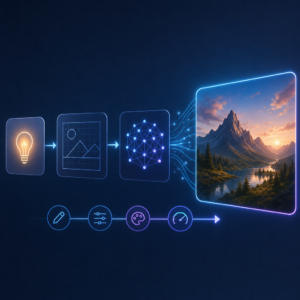
A useful AI image workflow begins with a clear objective. Before generating anything, users should decide what the image needs to achieve. A website banner, a product mockup, and a profile image all require different sizes, styles, and levels of detail. Once the goal is clear, the next step is to gather inputs. That may include a text prompt, a reference image, brand colors, or a rough layout idea. With these elements prepared, users can generate several variations instead of relying on a single result. Reviewing multiple options often reveals stronger compositions or more suitable lighting and visual balance. After selecting the best version, editing becomes more focused. Small changes such as refining the background, adjusting colors, improving clarity, or changing specific objects can bring the image closer to the original goal. This process works well because each stage has a purpose. The prompt guides the first output, the review stage filters quality, and the edit stage improves precision. Over time, users can learn which prompt structures, settings, and editing choices consistently lead to better images.
Combining generation and editing in one project
Many strong results come from combining AI image generation and AI image editing rather than treating them as separate tasks. A user might first generate a scene, then edit only the parts that need improvement, such as text placement, object shape, color tone, or empty space for design elements. This hybrid process is practical because generated images are not always perfect on the first attempt. Instead of discarding a nearly good result, users can refine it with targeted edits. For example, a shop owner creating a promotional image may generate a product setting, then replace distracting elements, clean up the background, and adapt the image to fit different channels. A content creator may generate a concept image and then edit it into multiple versions for a blog, newsletter, and social post. This approach improves productivity because one starting image can support several final assets. It also helps maintain visual consistency when users need a group of related images. By connecting generation and editing into one workflow, AI tools become more useful for real-world publishing, design, and content production.
How better workflows support long term content creation
A reliable workflow is not only about speed. It also supports better planning and stronger long-term results. When users follow a consistent process, they can build libraries of successful prompts, preferred styles, and reusable image concepts. This makes future projects easier to start and easier to scale. Teams can also benefit from a shared workflow because it reduces confusion and creates more predictable output. For websites, online stores, and digital campaigns, that consistency matters. Images should feel connected in tone, quality, and branding, even when they serve different purposes. Good workflows also help with practical tasks like naming files, saving versions, and exporting images for web use. These habits may seem simple, but they improve efficiency and make content management easier over time. On an AI image platform, users often look for convenience first, but they gain the most value when they develop a process they can repeat. A strong AI image workflow turns powerful tools into a dependable system for creating, editing, and publishing visual content with less friction and better results.


