
Choosing the best AI-generated or AI-edited image is not always easy. A result can look impressive at first glance but still fail to meet the real goal of the project. For example, an image may have strong colors and sharp details, yet still communicate the wrong message, feel off-brand, or look unnatural in key areas. This is why comparison matters. When users create several image versions, they need a clear way to review them side by side and decide which one is strongest. A structured comparison process saves time, improves quality, and helps users make decisions with more confidence. It also reduces the chance of selecting an image just because it is the newest or most visually dramatic. For websites, marketing materials, online stores, blogs, and social posts, the best image is usually the one that balances visual appeal with purpose. Learning how to compare AI image results is a practical skill that supports better outcomes across many creative tasks and helps users get more value from AI image tools.
Start with the goal of the image
Before comparing different AI image results, it is important to define what the image is supposed to do. An image for a product page has different needs than an image for a blog header, ad creative, or profile banner. The intended use affects what “best” really means. If the goal is to sell a product, clarity and realism may matter more than artistic style. If the goal is to attract attention on social media, bold composition and strong contrast may be more useful. When reviewing multiple versions, users should ask simple questions: Does this image match the message? Does it fit the audience? Does it support the page or campaign where it will appear? This step keeps comparison focused on real performance instead of personal preference alone. It also helps teams avoid endless debates about small visual differences that do not affect the outcome. A useful image comparison process starts with criteria tied to the project, not with random visual judgment.
Review quality, consistency, and realism
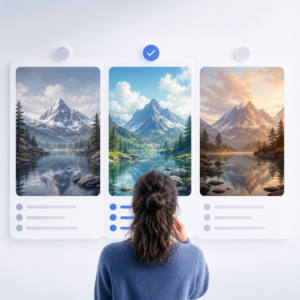
Once the goal is clear, the next step is to evaluate the visual quality of each result. AI images can vary a lot, even when they come from the same prompt or source image. Look closely at important details such as hands, eyes, edges, textures, shadows, reflections, and text placement. In edited images, check whether the new elements blend naturally with the original content. In generated images, review whether lighting, perspective, and proportions make sense across the whole frame. Visual consistency also matters. A single area that looks distorted or out of place can weaken the entire image. If a series of images will be used together, compare them for matching style, color tone, and composition. This is especially important for branded content, product collections, and campaign assets. The best result is often not the most dramatic one, but the one that stays believable and cohesive from corner to corner. Careful visual review helps identify subtle flaws before the image goes live.
It is also useful to compare images at different sizes. An image may look good when viewed large in an editor but reveal problems when reduced for a website thumbnail or mobile screen. At smaller sizes, overprocessed details, cluttered backgrounds, and weak focal points become more obvious. At larger sizes, soft textures, artifacting, and unnatural transitions may appear. For this reason, comparison should not happen in only one view. Users should zoom in to inspect technical quality, then zoom out to test readability and impact. If the image will be used online, previewing it in a realistic layout can improve decision-making. A banner should be checked as a banner, and a product image should be viewed in a product card or gallery if possible. Context often changes how a result feels. A visually striking image that dominates a page may not actually support the surrounding content. Comparing results in real use conditions leads to better choices than judging them in isolation.
Use simple criteria to make decisions faster
A practical way to compare AI image results is to use a short scoring system. This does not need to be complex. Users can rate each image on a few key points such as relevance, clarity, realism, brand fit, and overall usefulness. A simple score from one to five for each category can make comparison easier, especially when there are many versions. This method is helpful for solo creators as well as teams because it makes the decision process more consistent. Instead of saying that one image just “feels better,” reviewers can point to specific reasons. It also becomes easier to identify patterns. For example, one version may always score high on style but low on clarity, while another performs well across all categories. That kind of pattern helps users refine prompts and editing choices in future projects. The goal is not to turn creativity into a rigid checklist, but to give the review process enough structure that strong results are easier to recognize and weak ones are easier to reject.
When several people are involved, comparison should include feedback rules. Without a process, team reviews can become slow and inconsistent. One person may focus on technical quality, another on branding, and another on personal taste. Setting shared criteria before review helps everyone judge the same factors. It can also help to compare only a small shortlist rather than dozens of similar outputs. Too many options can reduce clarity and delay decisions. If possible, gather feedback in one place and look for common points instead of reacting to every isolated comment. Repeated concerns about anatomy, lighting, or message clarity usually matter more than single opinions about color preference. For important campaigns, lightweight testing can also help. A team might compare click-through performance, engagement, or time on page when choosing between final options. While not every project needs formal testing, real audience response is often the best measure of image quality. Strong comparison combines visual review with practical results.
Turn comparison into a better AI workflow
Comparing AI image results is not only about picking one final image. It is also a way to improve the overall creative process. Each comparison teaches something about prompts, source images, model behavior, editing choices, and output settings. By keeping notes on what worked and what failed, users can build a more reliable workflow over time. For example, they may notice that certain prompt structures produce cleaner compositions, or that some editing requests create repeated problems around edges and shadows. They may learn which versions perform better for product visuals, blog illustrations, or promotional graphics. This knowledge helps reduce trial and error in future sessions. A strong workflow includes generating multiple options, reviewing them with clear criteria, testing them in context, and keeping a record of successful patterns. For a website focused on AI image creation and editing, this approach makes the technology more useful and more predictable. Better comparison leads to better decisions, and better decisions lead to stronger images that serve a real purpose.


